
Effective Strategies for Geospatial Data Handling Tips
Managing geospatial data effectively is crucial for many fields, especially for those who serve communities and respond to emergencies. Whether you are coordinating disaster relief, planning community services, or developing products for families, understanding how to handle geospatial data can make a significant difference. This article explores practical strategies to help you manage this valuable information efficiently and accurately.
Essential Geospatial Data Handling Tips for Success
Handling geospatial data requires attention to detail and a clear plan. Here are some key tips to ensure your data is reliable and useful:
Organize Your Data Sources: Start by cataloging all your geospatial data sources. This could include satellite imagery, GPS data, maps, and survey results. Keeping a clear inventory helps avoid duplication and confusion.
Use Standardized Formats: Adopt common data formats like GeoJSON, KML, or shapefiles. Standard formats make it easier to share and integrate data across different platforms and teams.
Ensure Data Accuracy: Regularly verify the accuracy of your data. For example, cross-check GPS coordinates with physical landmarks or trusted maps to avoid errors.
Implement Data Security: Protect sensitive location data, especially when it involves vulnerable populations or emergency response plans. Use encryption and access controls to keep data safe.
Leverage Cloud Storage: Cloud platforms offer scalable storage and easy access for teams working in different locations. This is especially helpful for first responders who need real-time data access.
By following these tips, you can create a solid foundation for managing geospatial data that supports your mission and enhances your operational effectiveness.
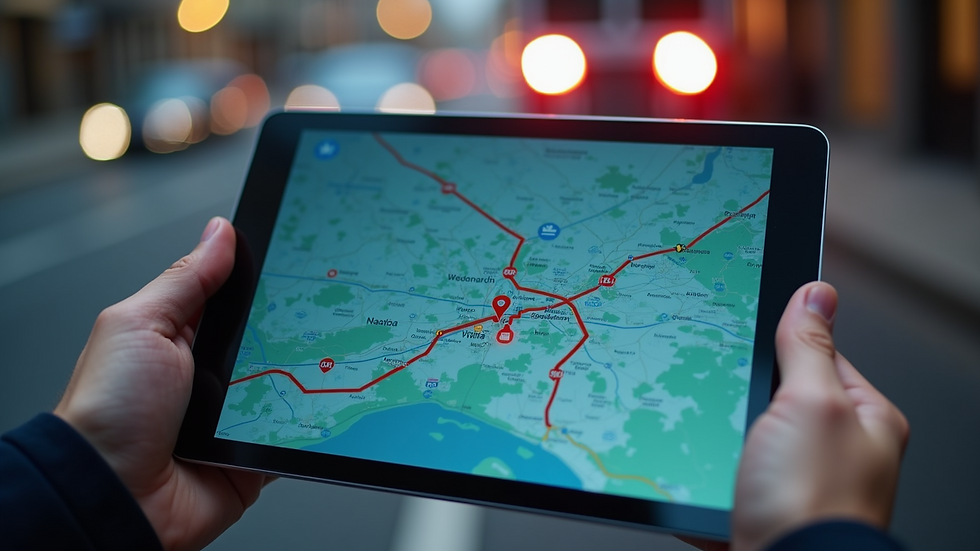
What is an example of geospatial data?
Understanding what constitutes geospatial data helps clarify how to manage it. Geospatial data refers to information that identifies the geographic location of features and boundaries on Earth. Here are some common examples:
GPS Coordinates: Latitude and longitude points collected from devices like smartphones or GPS trackers.
Satellite Imagery: Photos taken from satellites that show land use, vegetation, or urban development.
Topographic Maps: Maps that display elevation and terrain features.
Census Data with Location Tags: Demographic information linked to specific geographic areas.
Emergency Incident Locations: Data points marking where incidents like fires, floods, or accidents have occurred.
For instance, a first responder team might use GPS coordinates to locate a distressed individual quickly. Similarly, faith-based organizations could use satellite imagery to plan community outreach in underserved areas.

Practical Tools to Enhance Geospatial Data Handling
To manage geospatial data effectively, using the right tools is essential. Here are some practical options that can help:
GIS Software: Geographic Information System (GIS) software like QGIS or ArcGIS allows you to visualize, analyze, and interpret spatial data. These tools are invaluable for mapping and planning.
Mobile Data Collection Apps: Apps such as Survey123 or Collector for ArcGIS enable field teams to gather data directly from the site, reducing errors and speeding up data entry.
Cloud-Based Platforms: Services like Google Earth Engine or AWS provide powerful cloud computing resources for processing large geospatial datasets.
Data Validation Tools: Use software that checks for inconsistencies or errors in your data, ensuring higher quality and reliability.
Integration with Emergency Systems: Connect your geospatial data with dispatch and communication systems to improve response times and coordination.
By combining these tools with your data handling tips, you can build a robust system that supports timely and informed decision-making.
Best Practices for Sharing and Collaborating on Geospatial Data
Collaboration is often key when working with geospatial data, especially in emergency response or community projects. Here are some best practices to facilitate effective sharing:
Use Shared Platforms: Cloud-based GIS platforms allow multiple users to access and update data simultaneously.
Set Clear Permissions: Define who can view, edit, or share data to maintain control and security.
Document Data Sources and Changes: Keep detailed records of where data comes from and any modifications made. This transparency builds trust and accountability.
Train Your Team: Ensure everyone involved understands how to use the tools and interpret the data correctly.
Regularly Update Data: Geospatial data can quickly become outdated. Schedule regular reviews and updates to keep information current.
These practices help maintain data integrity and foster teamwork, which is vital when responding to urgent situations or planning community services.
Integrating Geospatial Data Management into Your Workflow
Incorporating geospatial data into your daily operations can improve efficiency and outcomes. Here are actionable steps to integrate it smoothly:
Start Small: Begin with a pilot project focusing on a specific area or task, such as mapping local resources or tracking emergency incidents.
Develop Clear Protocols: Establish guidelines for data collection, storage, and usage to ensure consistency.
Automate Where Possible: Use scripts or software features to automate repetitive tasks like data cleaning or report generation.
Monitor Performance: Track how geospatial data impacts your operations and adjust your approach based on feedback.
Engage Stakeholders: Involve community members, first responders, and faith-based leaders in planning and using geospatial data to ensure it meets real needs.
By embedding these strategies into your workflow, you can harness the full potential of geospatial data to support your mission.
Managing geospatial data effectively requires a combination of good practices, the right tools, and collaboration. Whether you are coordinating emergency responses or supporting community programs, these strategies will help you make the most of your spatial information. For more detailed guidance, explore resources on geospatial data management to deepen your understanding and skills.
To display the Widget on your site, open Blogs Products Upsell Settings Panel, then open the Dashboard & add Products to your Blog Posts. Within the Editor you will only see a preview of the Widget, the associated Products for this Post will display on your Live Site.
Start your 14 days Free Trial to activate products for more than one post.
icon above or open Settings panel.
Please click on the


Comments